
For businesses handling large-ticket transactions, bank transfers can be a more efficient and reliable option than cards. If you're using NMI to manage your payments, you can offer ACH as an alternative payment method, helping reduce payment processing costs.
Setting The Webhook
To receive ACH payments, you must first enable the required webhooks for settlements and payment status updates. Enter the URL https://backend.leadconnectorhq.com/payments/nmi/webhook
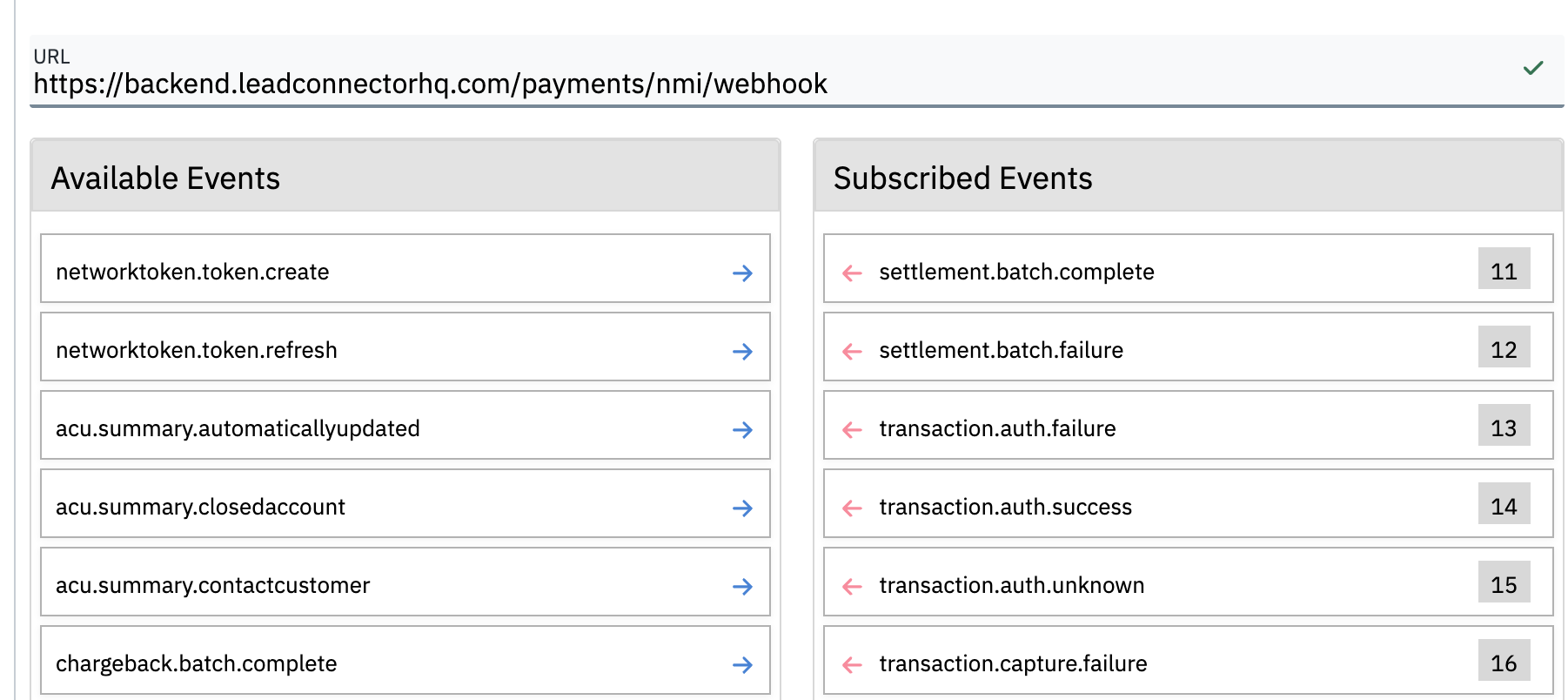
Enable the following events:
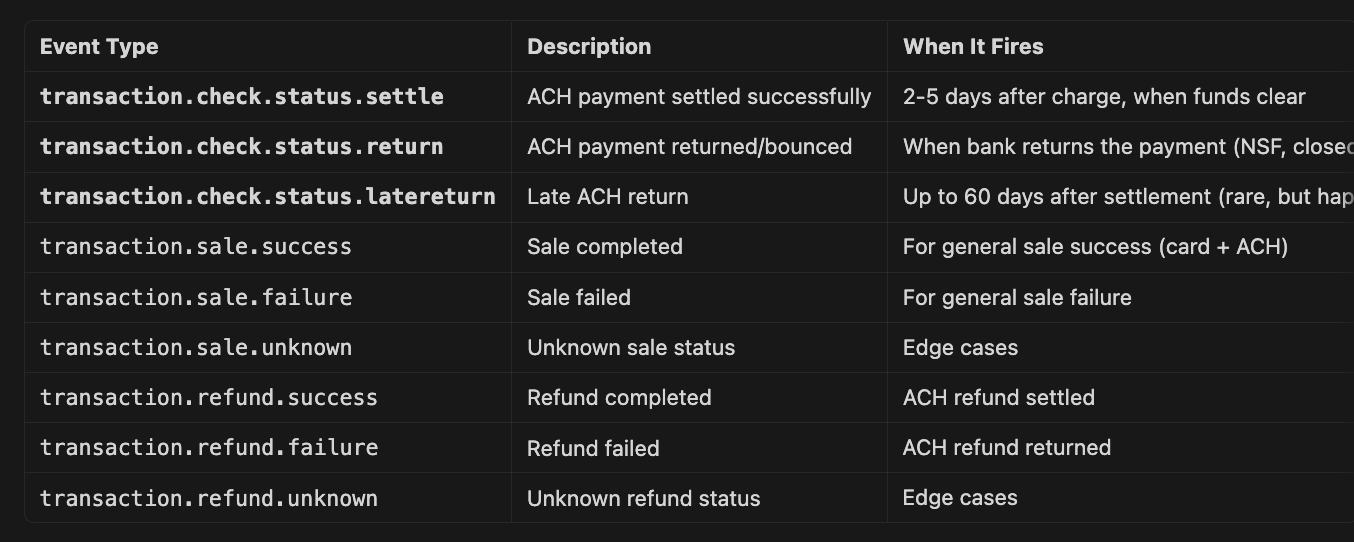
For a more detailed breakdown of the NMI connection, please refer to this article: https://docs.nmi.com/reference/overview#where-to-setup
Saving a Bank Account
To save a bank account, you must first collect a payment through an invoice. Once the bank account is saved, it can be used for future recurring debits through recurring invoices and subscriptions.

FAQ
Q: My client just paid, but the ACH transaction is still showing as processing.
A. This is normal. ACH transfers can take up to 5 business days to reach a final status, depending on the payer’s bank. We recommend providing services only after the payment status changes to Success.
Q: I am not getting the ACH option on an invoice.
A: Please verify that ACH is also enabled on the NMI side.
Q. I do not see the option to add a bank account for recurring invoices and subscriptions.
A: At this time, recurring invoices and subscriptions can only be started using a bank account that has already been saved.